




How Do Kids Find Porn in 2026? 13 Pipelines Targeting Your Child You Need to Know About Now

If you’re wondering, “How do kids find porn?” The answer may surprise you. Most kids are exposed to porn accidentally. Pornography reaches kids through everyday apps, devices, and platforms many families use and never suspect. Understanding these digital pipelines exposing kids to pornography is a crucial step to protecting them online.
Pornography’s pervasiveness is also why we emphasize giving your child a plan to respond to exposure, including giving kids an internal filter—the ability to recognize porn and know what to do when they encounter it.
Resources like our Good Pictures Bad Pictures books help parents start those conversations early, in an age-appropriate way.
Below are the most common pipelines parents need to be aware of.
1. Porn on social media: How kids are exposed on YouTube, TikTok, Instagram, Snapchat, and X
Social media is now the most common way kids are exposed to porn, often through accidental exposure rather than intentional searches.
You read that right.
And it’s happening younger than ever.
Recent data from the 2025 Office of the Children’s Commissioner (U.K.) report, Sex is kind of broken now: children and pornography, reveals an alarming trend:
- 59% of minors now say they were exposed to porn by accident on social media (up from 38% in 2023)
- 8 out of 10 of the main sources children access pornography are social media or networking sites
- 13 is now the average age of first exposure, with many reporting exposure as young as 11, 8, and even 6
- X (formerly Twitter) is the leading source at 45%, followed by Snapchat (29%), Instagram (23%), and TikTok (22%)
Additionally, researchers for Global Witness discovered TikTok directs children’s accounts to pornographic content within a small number of clicks, even when restricted mode is enabled. On one account, this happened in two clicks!
This means that even if your child isn’t searching for sexual content, algorithms will bring it to them. It happens through:
- suggested videos
- shorts, reels, or stories
- follower recommendations
- posts reshared by peers
- accounts falsely labeled “18+” but visible to minors
- clickbait thumbnails
And don’t overlook YouTube, which is the most used platform among teens according to a Pew Research Study. It remains a major source of sexualized content.
Cornell University published an eye-opening study revealing that social media accounts assigned to their age 13 study group “encountered videos that were deemed harmful, more frequently and quickly than those assigned to the age 18 group.” On Youtube, this occurred on average within 3 minutes of passive scrolling, without user-initiated searches.
What parents can do:
When it comes to social media, the best way to protect your child from pornography, predators, and other harmful content, is to delay, delay, delay.
For more information and solutions, see:
- Experts Say to Delay Social Media: Why 16 is Better Than 13
- 4 Practical Steps to Make YouTube Safer for Kids
- Our Digital Safety Planner (step-by-step tutorials)
Bottom line: Social media continues to be the primary gateway for kids’ first exposure to porn, usually without them seeking it.
2. Porn on Spotify and other music apps: An overlooked source of porn exposure
Wait, isn’t Spotify just for music?
Not anymore.
It has evolved into a social platform with video and audio content. And kids can easily and quickly stumble on pornography in several ways, even with the explicit filter enabled.
Kids can be exposed to porn on Spotify through:
- sexually explicit audio and video podcasts,
- shorts,
- playlist thumbnails, and
- video links in comment threads.
Learn more from our friends at Canopy including how to force audio only on podcasts, and how to use Canopy to filter web-based Spotify. Keep in mind that forcing audio only means explicit content can still be listened to. And boy, there are extremely spicy audio podcasts.
Spotify isn’t the only bad actor (but likely the worst).
We found porn on every mainstream music app.
What parents can do:
To protect your child from these apps, we suggest alternative music devices. Learn all about these safer alternatives in Better Than A Smartphone: 17 Fun Devices for Music, Photos, Calls and More.
Related: Best Music Apps for Kids? We Compared Spotify, Spotify Kids, Amazon, Apple & Gabb for Safety
3. Porn on AI assistants: How Gemini, Siri, and ChatGPT expose kids to porn
This is one of our biggest warnings for 2026. AI assistants are emerging as a new pathway for kids to access porn, even when parental controls appear to be in place.
Parents have reported to us — and our own team has confirmed — that kids can access AI assistants directly from phone lock screens without entering the pin.
On our tester’s Google Pixel 8, all it took was long-pressing the power button to launch Gemini instantly. No passcode. No biometrics.
What AI assistants like Gemini and Siri can do from the lock screen
Once activated from the lock screen AI assistants can:
- answer explicit questions,
- show sexual terms or descriptions,
- display web results, including images, and
- tap links that open Chrome or Safari without a passcode.
Where AI shortcuts appear
Depending on the device, AI assistants may show up as:
- a microphone icon on the lock screen,
- a floating Gemini button,
- a long-press of the power or home button, or
- voice activation (“Hey Siri,” “Hey Google”).
Even if parents block Chrome or Safari, many devices still let kids access AI-powered search results or ask AI to create sexual content.
What parents can do:
Parents should check every device in the home—including their own, and especially the old one in a drawer—to make sure AI assistants can’t launch from the lock screen.
Here’s what you can do:
- disable Gemini/Google Assistant on lock screen
- disable Press and hold power for Assistant
- turn off Allow Siri When Locked
- turn off Siri’s Web Search (iPhone)
We recommend Googling instructions for your exact model.
4. Generative AI porn: How kids can create explicit content
Kids no longer have to find pornography. They can create it. AI can be used to generate sexual stories, images, or roleplay using:
- character AI and other similar chat apps,
- open-source models like ChatGPT,
- chat apps with built-in AI, and
- discord bots.
What parents can do:
Most parental controls don’t monitor AI-generated text or images. So old-fashioned tech rules requiring kids to use screens where parents can see them is the best solution at this point. Additionally, parents can use Canopy as an extra layer to filter nudity on browsers, or Bark to block the entire AI category.
For more information and solutions, check out Parent Alert: Kids Can Make AI Porn—4 Big Dangers You Need to Know.
[[CTA]]
5. Old phones and forgotten devices: A major blind spot for parental controls
A fact of the digital age is that families accumulate old devices. Parents tend to focus on primary devices, leaving a blind spot for old, forgotten ones tucked away somewhere. Many of these older devices lack parental controls and it may be easy to guess an old password to unlock them. Or even if parental controls were once set up, a random system update could undo or alter them.
We’ve heard many heartwrenching stories from parents about this.
A child finds:
- an old, retired phone,
- a forgotten iPad,
- a drawer of old tablets,
- that glitchy laptop, or
- a Kindle from 2012
…and gains full browser access with no parental controls or filtering.
These devices are digital wildcards. And since you likely don’t even think about that old device, it could be a long time before you learn your child has accessed it.
What parents can do:
Check every device in your home—even the old ones. Get rid of them! Or put them in a lockbox. If your child spends a lot of time at a relative’s house like a grandparent, discuss this risk with them and make sure they have old devices secured.
Think of them like a loaded weapon. They aren’t worth the risk.
6. Porn on hidden browsers: How kids bypass parental controls
Hidden in-app browsers are one of the most overlooked ways kids bypass parental controls and access porn online. These are also known as micro browsers and internal browsers.
For example, when you use the Gmail app on your phone and click a link within an email, a browser launches. But it’s not your default browser like Chrome or Safari. In fact, to get to your default browser, you have to take an extra step in the menu to select “open website in browser.” Otherwise, you’re using Gmail’s in-app browser.
This is true of many apps. So even if you’ve blocked browsers like Chrome or Safari on your child’s phone, kids can often access in-app browsers, bypassing your parental controls. And it doesn’t take very many clicks to navigate to the open web on an unmonitored, unfiltered browser.
Kids can click:
- “terms of service”;
- “help” links;
- shared URLs; and
- redirect pages.
What parents can do:
- Reduce or restrict the number of apps your child has access to, even on kid-safer phones. Keep their phone as close to calling and texting only as possible.
- Direct your child to access Gmail and other desired apps on a home computer with robust parental controls, in a public space of the home, rather than on a mobile device.
- Consider a Pinwheel phone which provides detailed warnings for each app, helping you understand if an app has an internal browser.
Related: Best Phones for Teens in 2026: Our Ultimate Guide
7. Porn and sexual content on Roblox and MMO games (massive multiplayer online)
Roblox is NOT a video game. It’s a platform. It’s the YouTube of gaming, packed with user-generated content. Which means a wide range of suitability from appropriate to rated X. It’s been called a “pedophile hellscape for kids.” Police have warned parents about predators on the platform.
Kids can encounter:
- sexual roleplay (RP),
- avatars engaged in explicit behavior,
- sexual chats,
- violent content,
- Cyberbullying, and
- links to outside apps or Discord.
What parents can do:
Become educated on the harms of Roblox and other MMO games. Learn ways to make them safer. These articles will get you started:
- 4 Ways Roblox Endangers Your Kid: A Cop's Safety Guide for Parents
- Retro Gaming: 5 Smart Reasons to Ditch Roblox and Fortnite
8. Porn, grooming, and predators on Discord
Have you ever heard safety experts warn kidnapping victims not to go to the second location? Meaning, if a victim has an encounter with an attacker who intends to cause harm, they usually don’t do it publicly. They will take their captive to a second, more private location, where the danger rises dramatically. The best advice: Do everything in your power not to be taken to the second location!
Discord is quite often the “second location” of the digital world. After initially encountering kids on video games or social media, predators move kids to Discord where the grooming escalates. They often share pornography with the child to desensitize them. Predators may send nudes and ask for them in return. These photos are often circulated like trading cards.
Dozens of lawsuits have been filed against Discord alleging it enables sexual exploitation.
Discord has been listed on the National Center for Sexual Exploitation’s (NCOSE) Dirty Dozen List for several consecutive years. They recommend that Discord ban minors from using the platform.
What parents can do:
Take measures to lock down any games your child plays so they can’t play with strangers, thus reducing the risk of being lured to Discord.
Never allow your child to have Discord. Block it on your router. Block it on all mobile devices your child has access to.
Learn more about Discord from NCOSE.
9. Porn exposure and predators on Messaging apps: SnapChat, GroupMe, WhatsApp
Many parents have been shocked to learn their child was exposed to pornography or groomed by a predator through everyday messaging apps like Snapchat, GroupMe, WhatsApp, and others.
It happens in the following ways:
- disappearing messages where nude images can be sent and vanish;
- public groups with adult content (users can be automatically added); and
- secret group chats.
What parents can do:
Stick with regular text messaging that you can monitor. Skip third-party messaging apps. Tools like Bark offer strong monitoring for text messages and can alert parents to concerning content.
Related: The Truth About App Store Ratings Most Parents Don’t Know
10. Feature creep: How app updates quietly increase porn exposure
Apps regularly add new features. And often quietly. An app that was safe when first downloaded can slowly morph into something that barely resembles its original self. This is called feature creep, and it takes many parents by surprise.
Features that are often added include:
- DMs,
- public forums,
- photo sharing,
- video stories,
- livestreaming,
- follower lists, and
- commenting
…turning a formerly harmless app into a risky social platform where pornography can pop up in every one of those features.
One prime example is Spotify, where even the family version now allows playlist sharing, social profiles, and messaging-like interactions.
What parents can do:
Check your child’s apps every month. Download them on your own phone. Spend time on them. Look for new features and reevaluate if an app is still safe for your child. Opt for safer tech and phones that will alert you to dangers and can block apps and websites.
Learn more about feature creep in How to Spot The Most Dangerous Apps for Kids
11. Porn access on Playstation and other gaming consoles
Most gaming systems have full web browser access.
Pornhub proudly reports the following gaming console traffic stats:
- 60% from PS5,
- 35% from PS4, and
- 4.9% from Xbox.
Of all gaming console traffic to Pornhub, 60% comes from PlayStation 5. You need to know this!
What can parents do?
- Become familiar with and enable parental controls on your child’s Playstation (or other gaming console). Playstation’s parental controls are fairly robust. Use them!
- Use your router or Bark Home to filter content and set up an extra layer of controls. Block the WiFi signal altogether, except for when it’s needed for game play and when you can supervise.
Related: How Bark Home Protects Every Device on Your Home Network
12. VR Porn: How Meta Quest and VR headsets expose kids
VR headsets are known to be portals to porn. To learn how easy it is, just Google “How to watch porn on Meta Quest (or VR).”
Kids can access sexually explicit content via:
- Meta Quest browser,
- SideQuest,
- Steam,
- VRChat,
- Adult VR apps, and
- avatar-based sexual encounters.
True story: We even heard about one kid downloading a different browser to view porn on his VR headset after his parents blocked MetaQuest browser.
What parents can do:
Enable strong parental controls. MetaQuest has two different parental control types: one for ages 10-12, and one for teens. Bark has a great tutorial for parents in How to Set Up Meta Quest Parental Controls.
13. Unexpected devices exposing kids to porn
Nearly every device these days has an internet connection—which means more access points to pornography. A good rule of thumb is if it connects, porn can connect to your child. Here are a few (of many) surprising places that we’re hearing where it can pop up.
- treadmills with built-in touchscreens like NordicTrack or Bowflex;
- smart refrigerators;
- smart displays (Echo Show, Nest Hub);
- car infotainment systems; and
- Venmo (public profile pics).
How can parents protect kids from pornography exposure?
Pornography’s tentacles are everywhere, but parents aren’t powerless. Use this list as a starting point, not a checklist to master all at once.
Across all of these pipelines, one pattern is clear: Most kids encounter porn accidentally through mainstream technology designed for convenience, not safety.
The good news? Awareness changes outcomes. You can start by reducing obvious risks such as:
- delaying social media;
- using a router to filter obscure devices: we like Gryphon (code DYM for exclusive discounts) and Orbi or adding a Bark Home device to your existing router;
- reducing access to apps, devices, and AI;
- blocking nudity in browsers with Canopy; and
- securing overlooked devices.
Most importantly, help your child build an internal filter that lasts longer than any tech setting.
Resources like our Good Pictures Bad Pictures books give parents a simple, age-appropriate way to talk with kids about pornography before exposure happens.
Our video-based course for kids, Brain Defense, lets positive older peers teach your kids about a wide range of digital safety topics–encouraging them to develop health tech habits.
Tools like our free Digital Safety Planner help families take practical, step-by-step action to secure devices and revisit settings as technology changes.


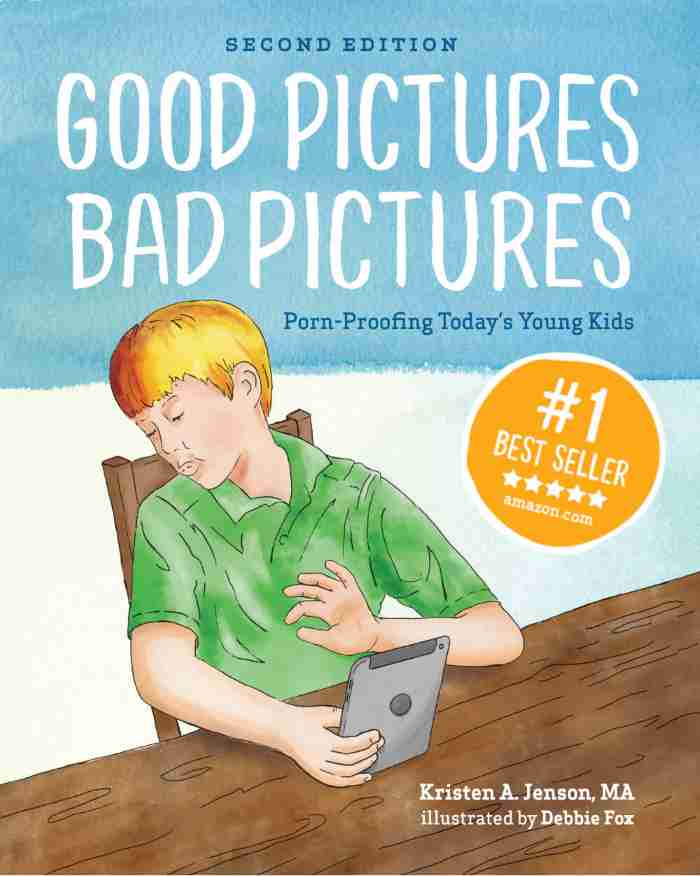
Good Pictures Bad Pictures
"I really like the no-shame approach the author takes. It's so much more than just 'don't watch or look at porn.' It gave my children a real understanding about the brain and its natural response to pornography, how it can affect you if you look at it, and how to be prepared when you do come across it (since, let's face it... it's gonna happen at some point)." -Amazon Review by D.O.
